| ||||||


 |
| | LinkBack | أدوات الموضوع | انواع عرض الموضوع |
|
#1
 05-07-2009, 09:50 PM | ||
| ||
  Kristanix File Renamer Turbo v2.58    برنامج ممتع ومفيد لإعادة تسمية العديد من الملفات و المجلدات ,ملفات MP3 , وملفات WMA, M4A, OGG, FLAC, APE or MPC ، دفعة واحدة , برنامج سهل الإستعمال جداً و يعمل بسرعة مما يؤدى لتوفير الوقت و الجهد. . اقتباس: Save time and keep all your files in top condition! Quickly rename multiple files in one batch! Keeping track of all your music, images, videos and other files will quickly become a chore unless you carefully manage the file names. Now you can save time and get better file names in a matter of seconds. With File Renamer Deluxe, you can easily rename multiple files in on single batch! Automatically set MP3, OGG, WMA, M4A, APE, FLAC, MPC tags, organize your photos based on their type or size, fix irritating issues like double spaces or wrong casing in file names, and much, much more! Features highlight: • Rename multiple files quickly! Rename multiple files in one batch. • Tag MP3, OGG, APE, FLAC, MPC files Set the ID3 and other tag fields of music files. • Get music album information online Automatically search MusicBrainz.org for album information. • Integrate File Renamer in your own system You can access File Renamer Deluxe through the command line. • Add to the Windows right-click menu You can add the file renaming functionality to the Windows context menu. • More than 20 rename filters Including Search & Replace, Trim, File Attributes and more. • Insert special data in file names Extract ID3 fields, image size etc. from files and use as file name. • Move files and folders You can fully re-organize your files and folders. Move files into new or existing folders. Additional features: • Complete undo and redo history. • Extract EXIF information from JPEG images. • Easy to use program. • Save filter profiles for later. • Save file lists for later. • Automatically generate command line batch files. • Rename both files and folders. • Modify file attributes and date. • Choose between seven beautiful GUI-skins. OS: Windows XP/Vista/2000 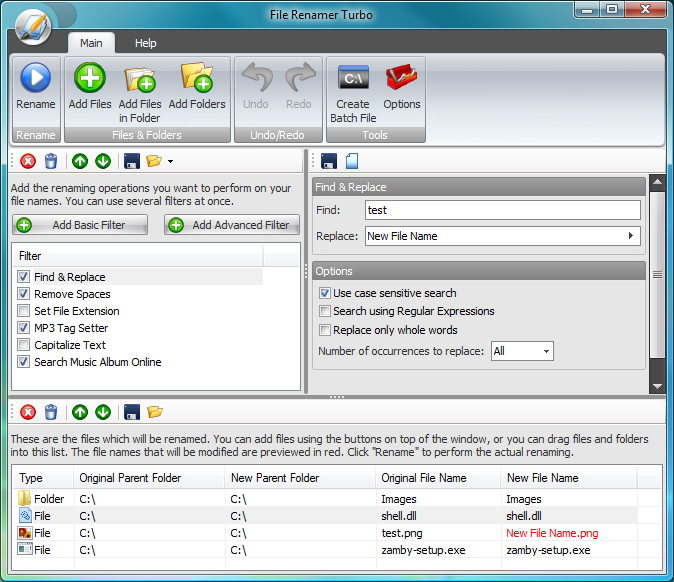       |



|
| مواقع النشر (المفضلة) |


 العرض العادي


| |

 المواضيع المتشابهه | ||||
| الموضوع | كاتب الموضوع | المنتدى | مشاركات | آخر مشاركة |
| [ برنامج ] : لإعادة تسمية الملفات بشكل احترافيFile Renamer Turbo 2.59 | محروم.كوم | منتدى أخبار المواقع والمنتديات العربية والأجنبية | 0 | 06-05-2009 11:10 AM |
| WinRAR v3.90 beta 2 عملاق الضغط باصدار تجريبي جديد تثبيت وتفعيل صامت معدل جديد | محروم.كوم | منتدى أخبار المواقع والمنتديات العربية والأجنبية | 0 | 05-22-2009 01:50 AM |
| WinRAR v3.90 beta 2 عملاق الضغط باصدار تجريبي جديد تثبيت وتفعيل صامت معدل جديد | محروم.كوم | منتدى أخبار المواقع والمنتديات العربية والأجنبية | 0 | 05-21-2009 04:01 PM |
| عملاق الصيانة باصدار جديد TuneUp Utilities 2009 v8.0.3100.31-TE | محروم.كوم | منتدى أخبار المواقع والمنتديات العربية والأجنبية | 0 | 05-01-2009 02:30 AM |
| File Renamer Deluxe 4.0 | محروم.كوم | منتدى أخبار المواقع والمنتديات العربية والأجنبية | 0 | 04-10-2009 08:30 AM |
الساعة الآن 05:55 PM

